
How to run multiple Instagram accounts for outreach safely
Updated 10 October 2026 - 6 min read
One Instagram account has a ceiling. Past roughly a hundred cold DMs a day it starts getting limited, however carefully you send. So when outreach works and you want more of it, the answer is more accounts, each doing a safe amount. This guide covers how to set that up so the accounts stay separate and healthy. The video above shows a three-account setup running.
Why more accounts, and not more messages
Instagram limits each account by its own behavior. Ten accounts sending 100 messages each look like ten people doing a normal amount of outreach. One account sending 1,000 looks like a bot, and is treated like one. Spreading the volume is what makes it sustainable.
| Warmed-up accounts | Cold DMs per day at 120 each |
|---|---|
| 1 | 120 |
| 3 | 360 |
| 5 | 600 |
| 10 | 1,200 |
Rule 1: one browser profile per account
This is the rule people skip, and the one that gets accounts linked. If you log in and out of several accounts in one browser, they share the same cookies and session data. Instagram can see they are run from the same place, and a problem on one can spread to the others.
- In Chrome, click your profile picture at the top right and choose Add.
- Create a new profile and name it after the Instagram account.
- In that profile, log into that one Instagram account and no other.
- Install the Nousify.ai extension in that profile.
- Repeat for each account. Each one now has its own window, cookies and session.
Each profile runs in its own Chrome window, and they can all run at once. You can keep using your computer while they send.
Rule 2: warm each account up separately
A new account cannot carry real volume on day one, and neither can an old account that has never done outreach. Each one needs its own 21 days: up to 15 cold DMs a day in the first week, 30 in the second, 60 in the third. Nousify.ai tracks this per account and applies the limits for you.
It means a five-account setup takes three weeks to reach full speed. Start the accounts a few days apart rather than all on the same day, so you are never without a warmed-up one.
Rule 3: never message the same person twice
Getting the same pitch from three of your accounts is how people end up reporting all three. Give each account its own list, from a different source or a different slice of the same one. Nousify.ai also checks for an existing conversation before it sends, and skips a lead that account has already spoken to.
Ready To Automate Your Instagram Outreach?
Join Nousify.ai And Start Booking More Calls On Autopilot.
Rule 4: make each account a real profile
- A profile photo, a clear bio and a link on every account.
- A few posts on each. An empty grid sending cold DMs gets reported quickly.
- Slightly different wording in each bio, so they are not copies of each other.
- Two-factor authentication on all of them.
- A different email or phone number per account where you can.
Rule 5: keep the computer on, or move to the cloud
Campaigns send through the Chrome extension, so Chrome has to be open and the computer awake. If it sleeps, the campaigns pause and pick up where they left off when it wakes. For a few accounts, a laptop that stays on during the day is enough.
For many accounts, or to run around the clock, people use a browser-profile service such as GoLogin to run each account in its own cloud browser. The same rule holds: one isolated profile per account.
A realistic way to scale
- Start with one account. Get a message and an audience that earn replies.
- Add a second and third once the first is working. Do not multiply something that is not.
- Give each new account its 21-day warm-up before counting on it.
- Watch the reply rate per account. A low one is usually the list, not the account.
- If an account gets limited, stop it for a day or two and let the others carry on.
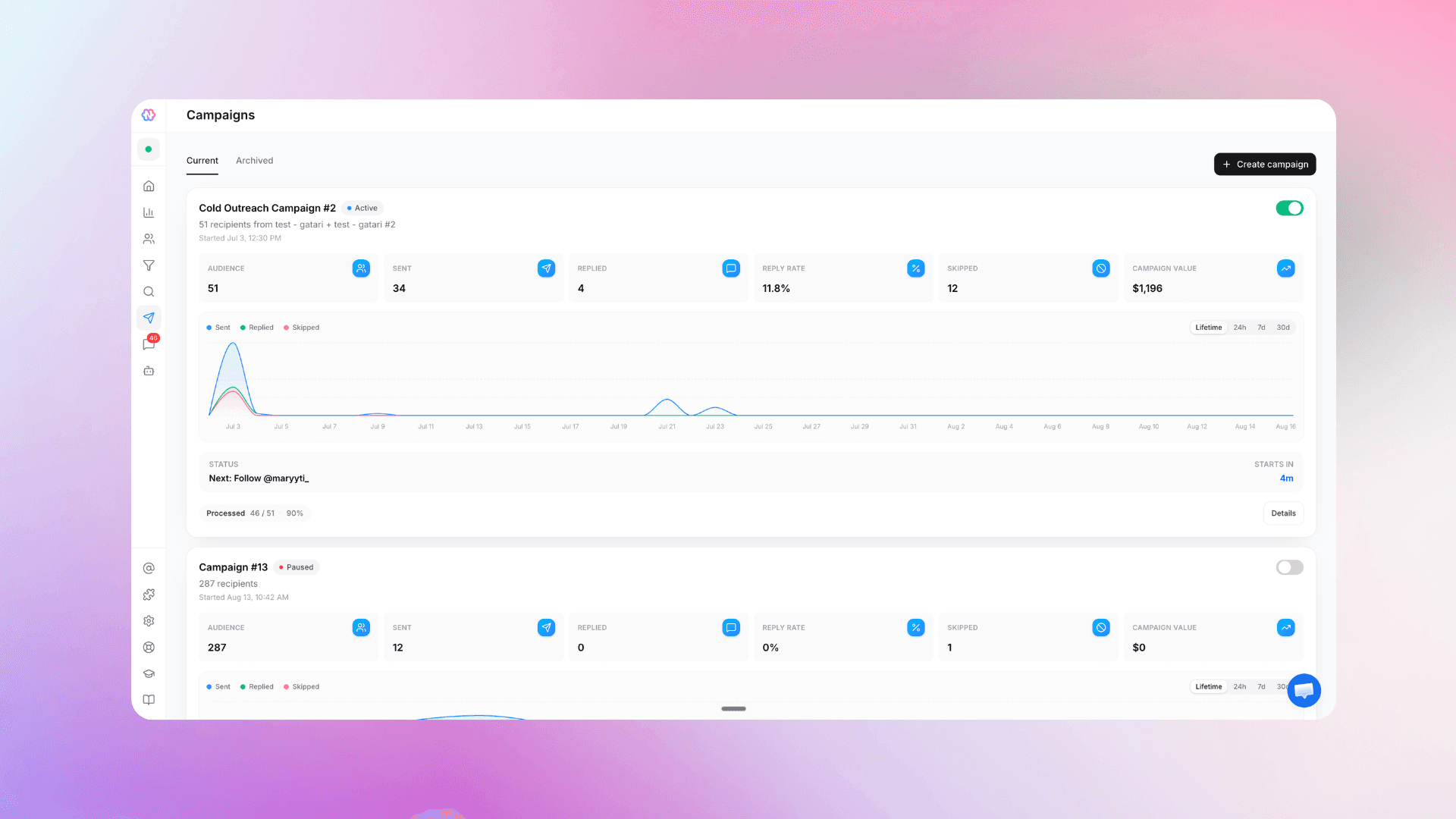
In Nousify.ai every Instagram account is its own workspace, with its own leads, campaigns, inbox and pipeline, and you switch between them from the top left. The Starter plan runs three accounts at once and the Pro plan runs ten.
Common questions
- How many Instagram accounts can I run for outreach?
- As many as you can keep separate and warmed up. Three is a common starting point. Each should have its own browser profile, its own list and its own daily limit.
- Will Instagram ban me for having multiple accounts?
- Having several accounts is allowed. What causes trouble is running them all in one browser session, sending identical messages from each, or messaging the same people from several of them.
- Do I need a proxy for each account?
- Not for a few accounts on your own computer. Each Chrome profile keeps its session separate. Proxies come in when you run many accounts in cloud browsers and want each to appear from its own location.
- Can I use my computer while campaigns run?
- Yes. The campaigns run in the background in their own Chrome windows. Just keep Chrome open and stop the computer from going to sleep.
Ready To Automate Your Instagram Outreach?
Join Nousify.ai And Start Booking More Calls On Autopilot.